
Download Flow Launcher for Windows PC
Launch apps, search files, run commands, and browse the web — all from a single keystroke. The fastest open-source app launcher for Windows 10 and 11.
What Is Flow Launcher?
Flow Launcher is a free, open-source application launcher and productivity tool for Windows that lets you search, launch, and control almost anything on your computer from a single floating search bar. Press Alt+Space anywhere, start typing, and Flow Launcher instantly surfaces apps, files, folders, web results, bookmarks, and system commands — all without touching the mouse.
Built by an active open-source community and released under the MIT License, Flow Launcher has earned over 15,000 stars on GitHub. It’s frequently called “Alfred for Windows” because it brings the same keystroke-driven workflow popularized by Alfred on macOS to Windows 10 and Windows 11 users. The current version, 2.1.4, runs on .NET and supports a library of 200+ community-built plugins that extend its functionality far beyond simple app launching.
Why Use Flow Launcher?
The Windows Start Menu works, but it’s slow. Cortana adds bloat. PowerToys Run covers the basics but stops there. Flow Launcher replaces all of these with a unified search experience that’s faster, more customizable, and genuinely extensible. Need to find a buried file? Search it. Run a quick calculation? Type the equation. Kill a frozen process? There’s a command for that. Every action lives behind a single hotkey.
Flow Launcher integrates with Everything by voidtools for near-instant file search across your entire drive, connects to Chrome, Firefox, and Edge bookmarks, and supports custom web search shortcuts for Google, DuckDuckGo, Stack Overflow, or any URL you configure.
Who Is It For?
Flow Launcher appeals to developers, system administrators, power users, and anyone who prefers keyboard-driven workflows over clicking through menus. If you spend most of your day switching between apps, searching for files, or running terminal commands, Flow Launcher consolidates those actions into a single interface. It’s lightweight (around 135 MB of RAM during normal use), portable (run it from a USB drive), and fully customizable with themes, hotkeys, and plugins.
What's new in Flow Launcher v2.1.4
Release notes
Bug fixes
- Fixed Firefox bookmark loading when profiles.ini uses different line endings.
- Reduced error log noise by treating missing shortcut descriptions as debug messages instead of errors.
- History results now appear on startup when the “Show History Results in Home Page” option is enabled, even if the home page is turned off.
- Context menus on the home page now open with the right arrow and show up-to-date options.
- Flow will now take keyboard focus on Windows startup (when not hidden), so you can type in the search box right away.
- Fixed an issue that could leave outdated data in settings or other stored files when saving a new version with shorter JSON content.
- Improved shell command handling for quoted paths and multi-word arguments. Command history now properly preserves your original input.
- Quoted commands now run correctly in the Windows CMD shell, and command launching via Windows Terminal is more reliable.
- Improved URL support for browser, file, about:, and data: links. Removed insecure ftp:// support.
- Improved URL matching for local and private IP addresses, including IPv6 support.
- Updated translations
- More reliable full screen detection on Windows with reduced chance of crashes.
- Fixed a bug that could set the app to the wrong language on startup.
- Search via acronyms has been fixed to properly work with results that contain numbers.
Contributions
We would like to directly mention and thank the following people (in alphabetical order) for their contribution and support in this release.
@DavidGBrett, @dedonnodev, @Jack251970, @SparkUiX, @taooceros, @VictoriousRaptor and everyone who has joined discussions, added translations, created plugins, reviewed pull requests, put through their ideas or reported bugs.
A big thank you to @JakobOstgren for sponsoring us! ❤️
Release notes from the GitHub release page, published September 20, 2026.
Key Features
Everything you need from an app launcher — and 200+ plugins for everything else.
Instant App Launch
Find and open any installed application in milliseconds — including UWP and MSIX apps. Flow indexes your programs on startup so results appear as you type the first letter.
Deep File Search
Search files by name or content using native Windows Index or voidtools Everything integration. Everything delivers sub-second results across millions of files on any drive.
200+ Community Plugins
Browse and install plugins directly from the search bar with pm install. Add Spotify controls, clipboard history, color pickers, SSH sessions, and hundreds more — all one-click installs.
Web & Bookmark Search
Search Google, DuckDuckGo, or any custom URL directly from the launcher. Access bookmarks from Chrome, Firefox, Edge, and Brave without opening a browser first.
Inline Calculator
Type any math expression and get the result instantly. Click or press Enter to copy the answer to your clipboard. Supports standard operators, parentheses, and common functions.
Shell Commands
Run batch scripts and PowerShell commands without opening a terminal. Prefix with > to execute inline, with optional “Run as Administrator” for elevated tasks.
Theme System
Switch between built-in themes or build your own with the Theme Builder. Customize colors, fonts, opacity, corner radius, and shadows to match your desktop aesthetic.
Portable Mode
Download the ZIP version, extract it, and run from any folder or USB drive. All settings, plugins, and themes stay self-contained — no installation required, no registry entries created.
System Requirements
Flow Launcher is lightweight and runs well on most modern Windows hardware.
| Component | Minimum | Recommended |
|---|---|---|
| Operating System | Windows 10 (64-bit) | Windows 11 (64-bit) |
| Processor (CPU) | Any modern x64 processor | Intel Core i3 / AMD Ryzen 3 or newer |
| Memory (RAM) | 135 MB available | 512 MB available (for heavy plugin use) |
| Disk Space | 200 MB | 500 MB (including plugins & cache) |
| GPU | Not required | Not required |
| Runtime | .NET 9 (bundled with installer) | .NET 9 (bundled with installer) |
| Internet | Optional | Required for plugin store & web search |
Download Flow Launcher 2.1.4
Get the latest version of Flow Launcher — free, open-source, and ready in under a minute.
Flow Launcher v2.1.4
Download Flow Launcher 2.1.4Installer (.exe) · 97.1 MB · Windows 10/11Screenshots
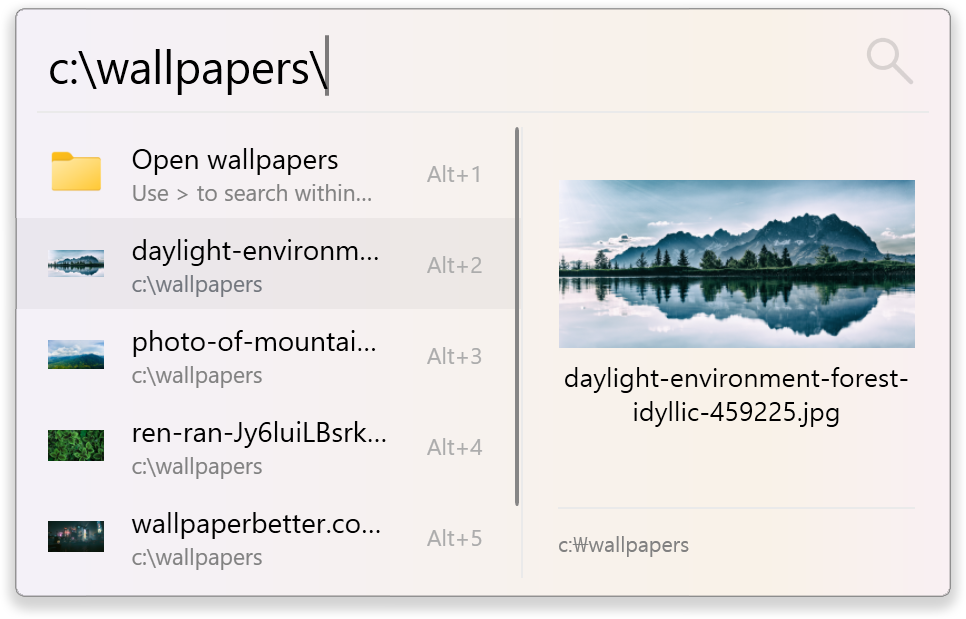
See Flow Launcher in action — from quick app launching to plugin management.
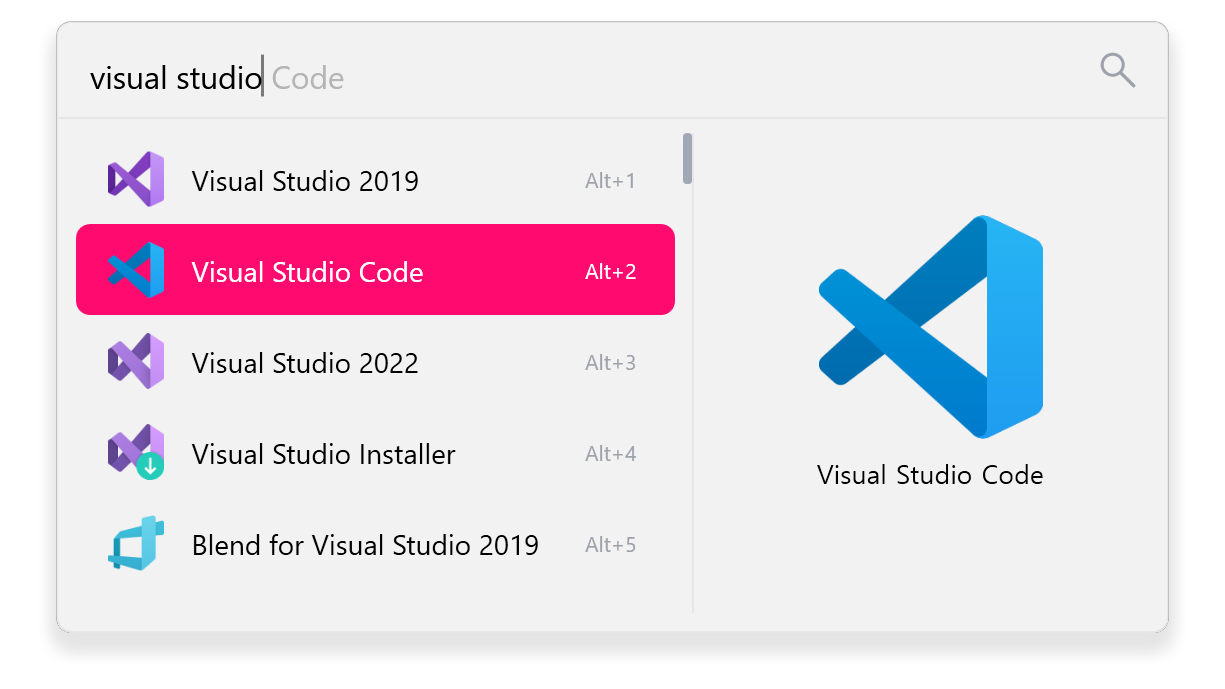
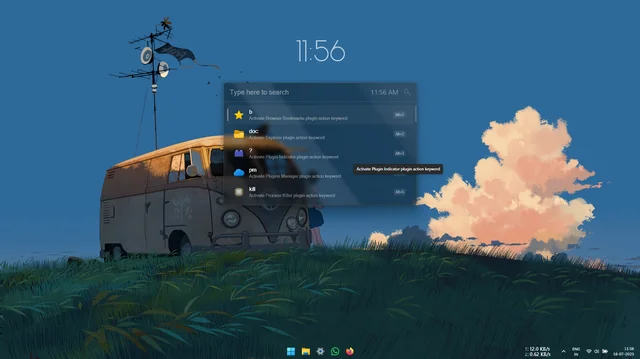
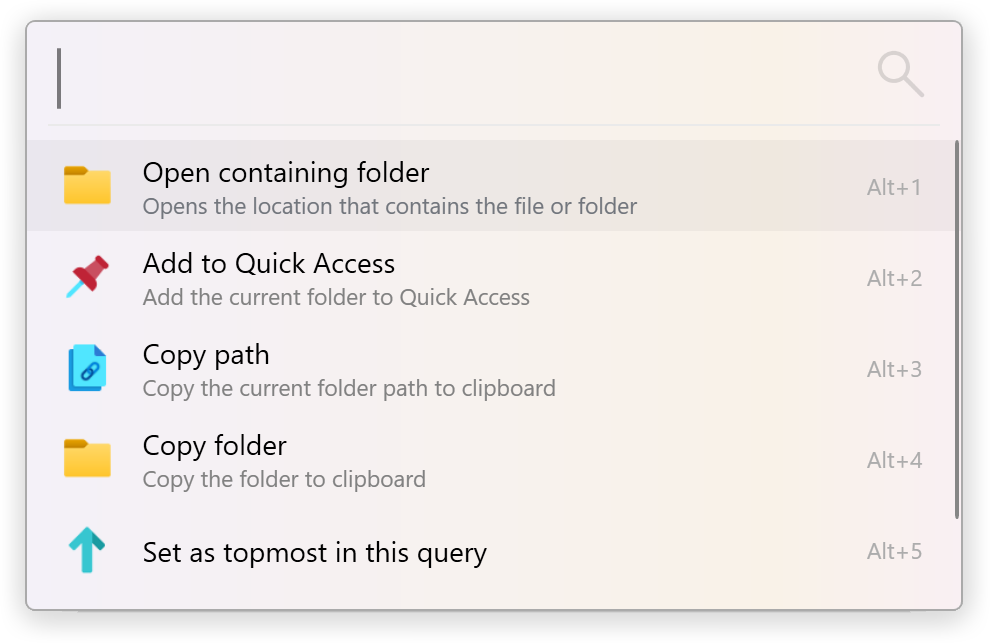
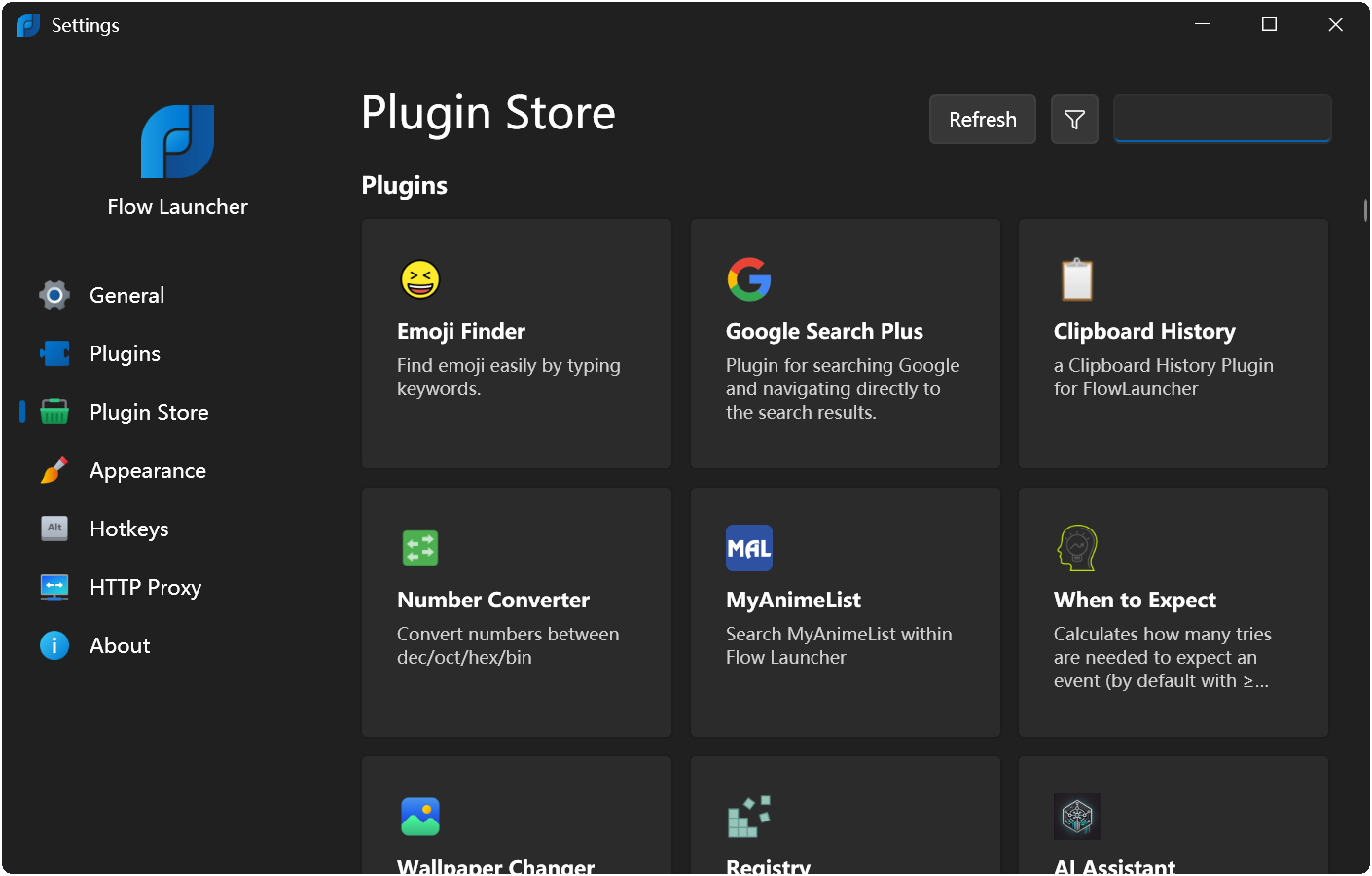
How to Install Flow Launcher
From download to your first search — the complete setup walkthrough for Flow Launcher on Windows.
1 Download Flow Launcher
- Head to our download section at the top of this page and click the Download Flow Launcher 2.1.4 button.
- The installer file (Flow-Launcher-Setup.exe, 97.1 MB) will begin downloading to your default Downloads folder.
- If you prefer a portable version that doesn’t require installation, download the Portable ZIP instead (196 MB) from the same download section.
2 Install the Application
- Locate and double-click Flow-Launcher-Setup.exe in your Downloads folder.
- Windows SmartScreen may display a warning because Flow Launcher is an open-source application without a paid code-signing certificate. This is normal and safe. Click “More info”, then click “Run anyway”.
- If your antivirus flags the file, add an exception for Flow Launcher after verifying you downloaded it from the official source (this page or the GitHub releases page).
- The installation wizard opens. The default settings work well for most users — click through to complete the install.
- Flow Launcher installs to %LOCALAPPDATA%\FlowLauncher and automatically adds itself to your Windows startup programs.
3 Configure Flow Launcher
- After installation, Flow Launcher starts automatically and adds a small icon to your system tray.
- Press Alt+Space to open the search bar for the first time. You’ll see the floating search input appear at the center of your screen.
- Press Ctrl+I to open the Settings panel. Here you can configure your preferred hotkey, theme, language, and general behavior.
- Under the Plugin tab, review the built-in plugins. Enable or disable features like Calculator, Shell, Explorer, and Windows Settings search.
- For the fastest file search experience, install Everything by voidtools (voidtools.com). Flow Launcher detects it automatically and routes all file queries through Everything’s index.
4 Start Using Flow Launcher
- Press Alt+Space and type the name of any application — results appear in real time. Hit Enter to launch the top result.
- To search files, just type a filename. If you installed Everything, results appear almost instantly across all your drives.
- To install a plugin, type pm install followed by a keyword. For example, pm install spotify finds and installs the Spotify controller plugin.
- For web searches, type your query and select the search engine result, or set up custom search shortcuts in Settings (e.g., g: for Google, so: for Stack Overflow).
- Use F1 to toggle the Preview Panel for quick image, video, and document previews without opening a separate application.
- Enable Game Mode with Ctrl+F12 to suspend the launcher hotkey while gaming. Press the same shortcut again to re-enable it.
Frequently Asked Questions
Common questions about downloading, installing, and using Flow Launcher on Windows.
Is Flow Launcher free to download?
Yes, Flow Launcher is completely free. It’s an open-source project released under the MIT License, which means there are no hidden costs, premium tiers, subscriptions, or ads. The application itself and all 200+ community plugins are free to download and use. You can verify this by reviewing the source code on the official GitHub repository.
Is Flow Launcher safe for Windows 11?
Yes, Flow Launcher is safe for Windows 11 and Windows 10. The entire source code is publicly available on GitHub with over 15,000 stars and 550+ forks from the developer community. Windows SmartScreen may show a warning during installation because the app isn’t digitally signed with an expensive code-signing certificate — this is common with open-source software. Click “More info” then “Run anyway” to proceed safely.
What are the system requirements for Flow Launcher?
Flow Launcher requires Windows 10 or Windows 11 (64-bit). It uses about 135 MB of RAM during normal operation and needs roughly 200 MB of disk space. Any modern processor handles it easily — the app is lightweight and uses minimal CPU when idle. The .NET 9 runtime is bundled with the installer, so you don’t need to install anything separately.
How do I update Flow Launcher to the latest version?
Flow Launcher checks for updates automatically. When a new version is available, a notification appears in the search bar results. You can also check manually by opening Settings (Ctrl+I) and looking for update notifications. If you installed via a package manager, run the corresponding update command — for example, winget upgrade "Flow Launcher" or scoop update Flow-Launcher.
Does Flow Launcher work on Mac or Linux?
No, Flow Launcher is a Windows-only application. It’s built on the .NET framework and uses Windows-specific APIs for deep system integration. For macOS, popular alternatives include Alfred and Raycast. For Linux, consider Ulauncher or Albert. These tools provide similar keystroke-driven launcher functionality on their respective platforms.
Flow Launcher vs PowerToys Run — which is better?
Flow Launcher is more extensible, with 200+ community plugins compared to PowerToys Run’s limited extension system. It offers deeper file search via Everything integration, full theme customization, browser bookmark searching, and a portable mode. PowerToys Run is a simpler option that works well if you already use Microsoft PowerToys and just need basic app launching and calculation. For power users who want maximum customization, Flow Launcher is the stronger choice.
How do I install plugins in Flow Launcher?
Open Flow Launcher with Alt+Space, then type pm install followed by the plugin name. For example, type pm install clipboard to find clipboard history plugins. Click on a result to install it — the plugin activates immediately without needing a restart. You can manage installed plugins in Settings (Ctrl+I) under the Plugin tab, where you can enable, disable, configure, or remove any plugin.
How do I change the Flow Launcher hotkey?
Press Ctrl+I to open Flow Launcher Settings, then go to the General tab. Click the Hotkey field and press your preferred key combination to set a new shortcut. The default is Alt+Space. Some users prefer Ctrl+Space, Win+Space, or double-tap Alt. Make sure your chosen shortcut doesn’t conflict with other applications or Windows system shortcuts.
Why does Windows SmartScreen block Flow Launcher?
Windows SmartScreen flags applications that aren’t signed with a paid code-signing certificate. Since Flow Launcher is a community-driven open-source project, the team hasn’t purchased a certificate (which can cost hundreds of dollars per year). This warning appears for many legitimate open-source tools. To proceed, click “More info” on the SmartScreen popup, then click “Run anyway.” You can verify the download’s integrity by checking the SHA256 hash on the GitHub releases page.
How do I search files with Flow Launcher?
Type any filename or partial path directly into the Flow Launcher search bar. For the fastest results, install Everything by voidtools alongside Flow Launcher — it indexes your entire filesystem and returns results in milliseconds. Without Everything, Flow Launcher falls back to the Windows Index, which works but may not cover all directories. You can also search inside files for text content using the built-in file content search plugin.
Can I create custom themes for Flow Launcher?
Yes, Flow Launcher has a built-in Theme Builder tool accessible from the Settings panel. You can customize colors, fonts, opacity, window dimensions, corner radius, and drop shadows. Several themes ship with the application, and the community has created additional themes available through the Plugin Store. Themes are stored as JSON files, so you can also share them with other users or create them with a text editor.
Is Flow Launcher open source?
Yes, Flow Launcher is fully open source under the MIT License. The complete source code, issue tracker, plugin SDK, and development roadmap are hosted on GitHub at github.com/Flow-Launcher/Flow.Launcher. Anyone can inspect the code, report bugs, submit pull requests, or fork the project. The MIT License allows unrestricted personal and commercial use.
Flow Launcher not responding — how do I fix it?
Start by right-clicking the Flow Launcher tray icon and selecting “Restart.” If it continues to hang, a specific plugin may be causing the issue — open Settings (Ctrl+I), navigate to the Plugin tab, and disable recently added plugins one at a time to isolate the problem. You can also try clearing the application cache by deleting contents in the %APPDATA%\FlowLauncher\Cache folder. As a last resort, reinstall Flow Launcher while keeping your settings by backing up the %APPDATA%\FlowLauncher\Settings folder first.